
Random voice chat on PixelPlanets is for people who want a real conversation without turning on video. You can hear tone, timing, and personality, but you do not have to show your face or your room. Every voice match starts with a 3-minute opening call, then continues only if both people agree.
What Is Random Voice Chat?
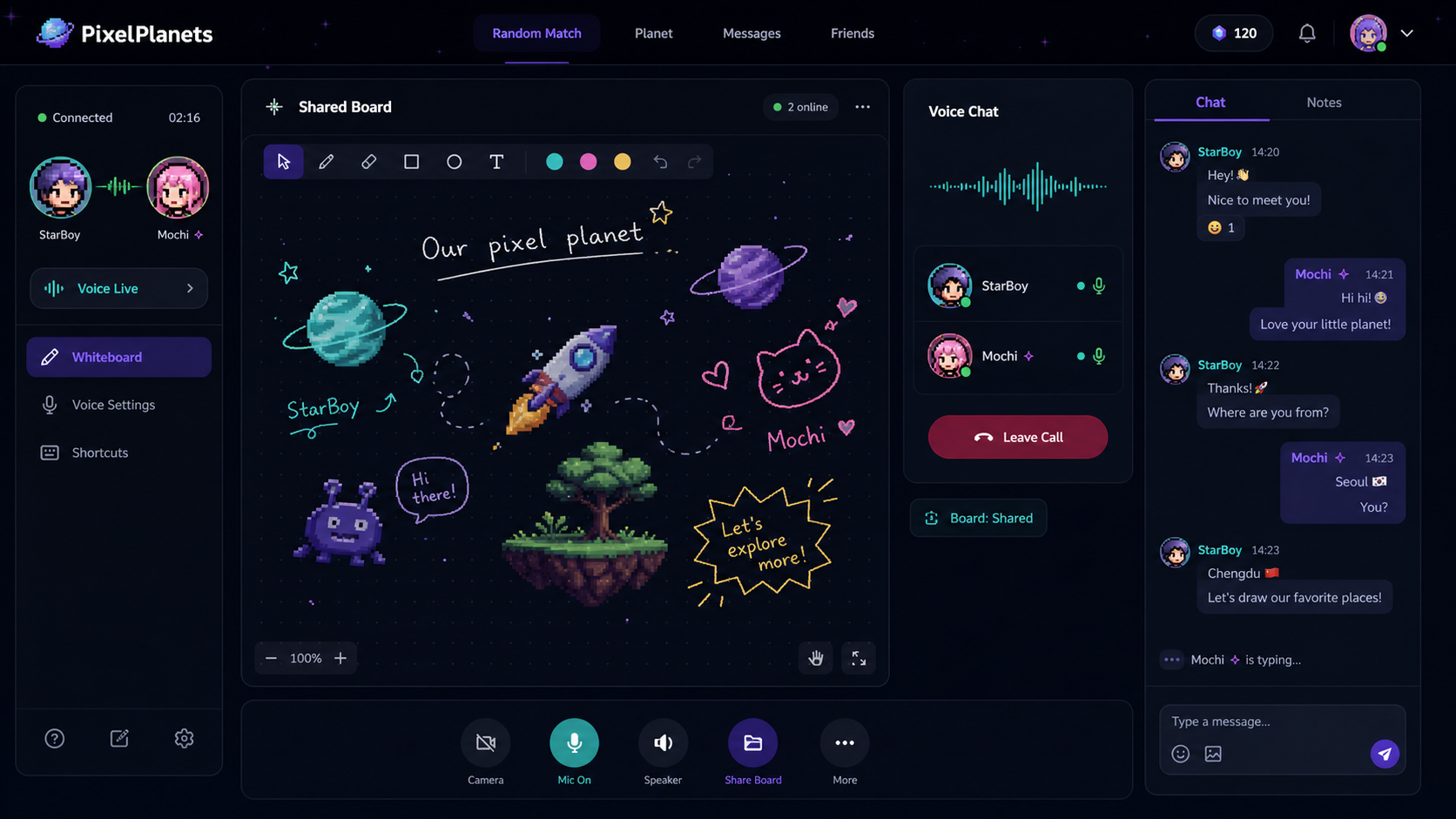
Random voice chat is a one-on-one audio match with someone you have not met before. On PixelPlanets, voice calls begin with a 3-minute intro, continue only when both people choose to keep talking, and include a shared whiteboard to make the first few minutes easier.
Why Choose Voice Chat Online?
Voice chat online sits between random chat and random video chat. It feels more human than typing, but it is less exposed than a camera call. That makes it useful when you want to meet someone new but do not want to manage lighting, appearance, or facial reactions immediately.
How PixelPlanets Voice Chat Works
- 1Choose voice matching.
- 2PixelPlanets connects you with another person.
- 3The 3-minute intro call begins.
- 4You can talk and use the shared whiteboard.
- 5After 3 minutes, both people decide whether to continue.
- 6If either person declines, the match ends cleanly.
For non-members, continued calls can last up to 30 minutes. If at least one person is a member, the continued call can be unlimited.
Use the Shared Whiteboard During Voice Calls
Voice calls can sometimes start with silence. PixelPlanets adds a shared whiteboard so two people have something simple to do while talking.
Safety Tips for Voice Chat With Strangers
Keep personal information private. Do not share your full name, address, school, workplace, financial details, or private contact accounts too early. The FTC recommends protecting personal information online, and PixelPlanets supports clear exits, blocking, reporting, and short first calls through its stranger chat safety rules.
Try this mode
Start with voice chat
Use this page to understand the mode, then start a real conversation when you are ready.
FAQ
Frequently Asked Questions
Is random voice chat safer than video chat?
Random voice chat can feel lower pressure than video because you do not show your face or surroundings. It is not risk-free, so you should still protect personal information, leave uncomfortable calls, and use block or report tools when needed.
How long is the first PixelPlanets voice call?
The first voice call lasts 3 minutes. After that, both people decide whether to continue. If both agree, non-members can continue up to 30 minutes, while calls involving a member can continue without a set time limit.
Can I use voice chat without turning on my camera?
Yes. Voice chat is audio-only. If you want camera interaction later, choose masked video chat, where video starts with pixel masks and continuation is mutual.
What should I say in a random voice chat?
Start with a small choice: "Do you want a normal question or a weird one?" or "Should we talk about music, food, or late-night thoughts?" Simple choices are easier for strangers to answer than broad introductions.
Can non-members continue voice calls?
Yes. If both people agree after the 3-minute intro, non-members can continue a voice call for up to 30 minutes. Member-supported calls can continue without a set time limit.
Why does voice chat include a whiteboard?
The shared whiteboard gives both people something simple to react to during quiet moments. It can turn a first call into drawing, guessing, or choosing topics together.
Conclusion
Random voice chat is the best PixelPlanets mode when you want to hear a real person without starting on camera. Start with a 3-minute call, use the whiteboard when the conversation needs help, and continue only when both people want to keep talking.